Using a Second Phone Just for Social Media (or Work): Does It Actually Reduce Screen Time?
Put TikTok and Instagram on an old phone, keep your main phone clean: does the two-phone trick work? Real experiences from people who tried it, the three ways it fails (the dead drawer phone, carrying both, the bad-day relapse), and the setup details that decide whether it sticks.
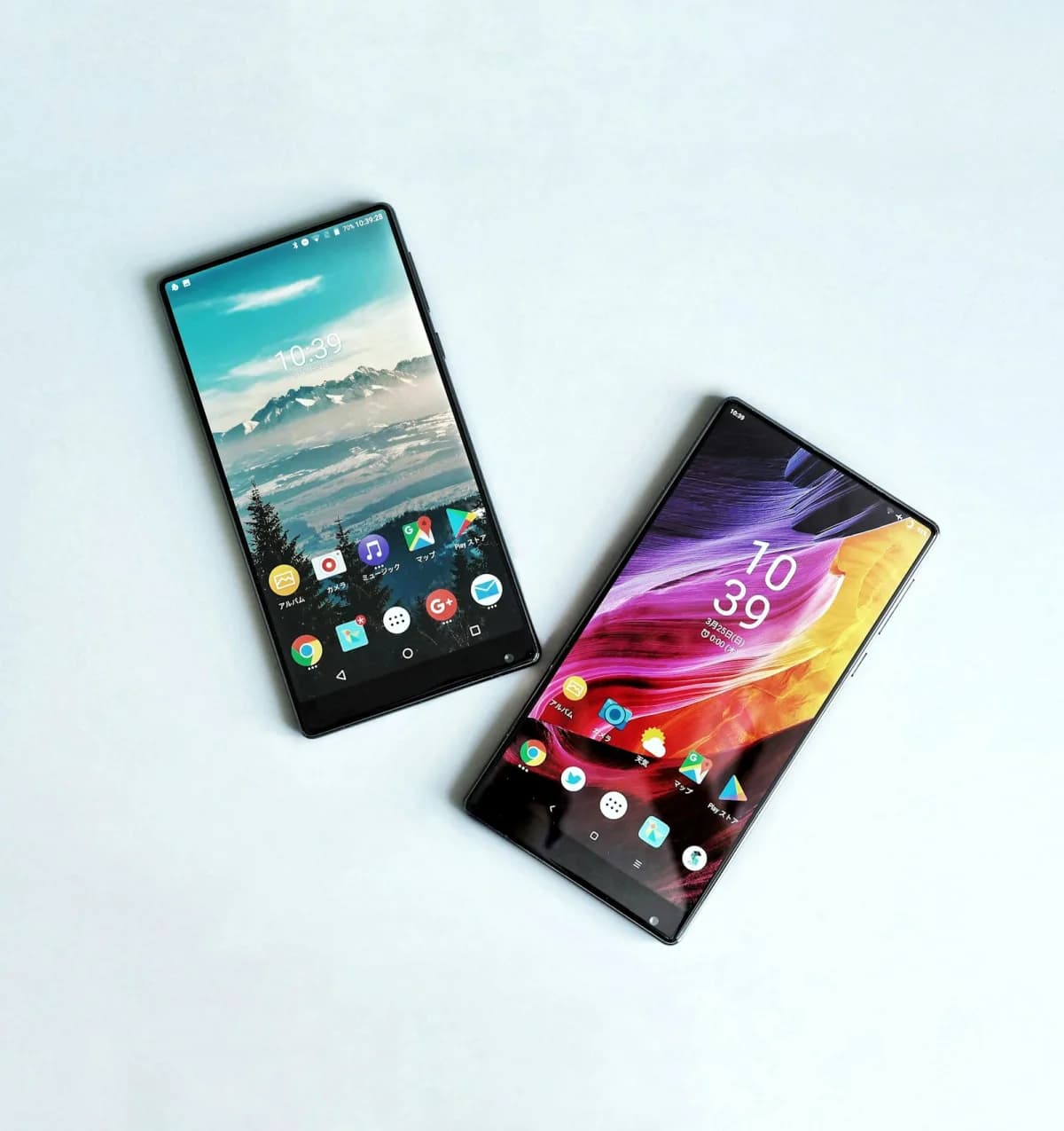
The idea comes up again and again in screen-time communities, usually in the same words. One Reddit poster put it this way in August 2026:
"I thought that maybe if I get a really practically useless phone that only has social media apps on it and stays at home, then I can remove it all from my main phone."
On Xiaohongshu, the Chinese lifestyle app, the same idea is a full genre. A post titled "Finally understand why more and more people use two phones" got 8,166 likes. Another was titled, without irony, "To quit my phone, I bought another phone."
We read those threads alongside English discussions in r/dumbphones, r/digitalminimalism, r/iphone, and r/phones. The pattern is consistent: a second phone works when it gives one kind of use a fixed home, and fails when it just gives you two pockets of the same thing.
TL;DR
- The working version: entertainment apps live on one phone that stays in one place, and they're deleted from the phone you carry.
- Three common failures: the second phone ends up dead in a drawer, you carry both, or a bad day sends you back to reinstalling apps on your main phone.
- Wi-Fi only is a feature. A second phone with no SIM can't follow you out of the house.
- A smaller or older phone doesn't reliably help. Several people say it made scrolling more pleasant.
- The other version (a dedicated work phone you leave behind after hours) has decent support from research on work smartphone use and mental detachment.
Three Versions of the Two-Phone Strategy
People mean different things by "two phones." The details matter, because they fail in different ways.
1. The entertainment phone (stays home)
Social media, video, and games go on an old phone. Your main phone keeps calls, messages, maps, banking, and work. The entertainment phone has a fixed spot: a drawer, a desk, the kitchen.
2. The work/life split
One phone for work, one for everything else. The goal is less about scrolling and more about boundaries: the work phone goes quiet, or into a drawer, at the end of the day.
3. The single-purpose "focus phone"
The reverse of version 1. A Chinese lawyer bought a used iPhone 11 for about $80 and gave it five jobs: alarm, meditation, a study timer, a work timer, and logging focus time. No messaging, no video, no shopping. "Most of the time, failing to control myself isn't about willpower," they wrote. "It's that work, social life, entertainment, and study were all crammed into the same phone. I meant to check the time and somehow lost an hour." Their rule: the main phone doesn't enter the bedroom; the study phone has no entertainment apps.
English minimalist-phone users run a close cousin of this: they carry a dumbphone and leave the smartphone at home. One r/dumbphones user: "I take my dumb phone to work and leave my iPhone at home. It has made a HUGE difference for me, since most my screen time was at work." We cover that path in depth in our dumb phone guide. This article focuses on the two-smartphone versions.
What People Report When It Works
The decision moves to one moment
The clearest success story came from a Xiaohongshu user who combined an entertainment phone with a timed lock box. All the scrolling apps moved to the second phone; the main phone kept messaging. When they needed to focus, the entertainment phone went in the box for two hours.
"You only have to make the decision in the moment you lock the phone, and that buys you two hours of focus."
That's the real mechanism. You don't resist scrolling for two hours. You decide once, in a few seconds, and the arrangement does the rest. (More on timed boxes in our lock box guide.)
"Parking spot" plus a list of reasons
The most practical advice in r/dumbphones (8 upvotes):
"Two-phone works if the smartphone has one parking spot (drawer or bag) and a sticky note with the only unlock reasons... Compulsive checking usually dies once it is not in your pocket."
Others found their own "parking spots": "My smartphone has a data SIM card and stays in the car to charge... not within easy reach but I can walk to the car on the driveway if really needed."
Shopping and other impulses get a buffer
A Xiaohongshu user who has run two iPhones for over two years moved every shopping app to the second phone. Their rule: if you want to buy something, write it in Notes first and wait three days. "Impulse spending dropped noticeably. Because I have to deliberately pick up the other phone to buy anything, there's an extra step of 'buffer,' and most of what I buy now is stuff I actually need."
The same logic works for anything you do compulsively. One extra physical step is often enough to interrupt the reflex.
Work stops leaking into evenings
For the work/life split, the strongest argument is about boundaries. A Xiaohongshu poster who made the switch described the problem before:
"The biggest problem wasn't noise. It was that the boundary disappeared. A work group chat pinged after hours and I'd open it by reflex. Weekends, I couldn't fully relax. Now it's split in two: one phone to make a living, one to live. That physical separation works better than any Do Not Disturb setting."
An r/iphone user put it more bluntly: "I am not paid to be on call, so I do not carry my work phone during off hours... I want an absolute firewall between personal and work."
There's research behind the intuition, with an important caveat. A diary study of 70 employees (Derks, van Mierlo and Schmitz, 2014) found that more work-related smartphone use in the evening went with weaker psychological detachment from work, which went with more exhaustion. The effect was strongest for people who preferred to keep work and home separate. The study looked at work smartphones, not at one phone versus two, so it supports the goal (switching off from work) rather than proving two phones are the way to get there.
Where It Fails
1. The second phone dies in a drawer
The most honest comment in a 317-comment Xiaohongshu thread:
"When my main phone runs out of battery, my first thought is to charge it, not to find the backup. The backup is usually dead, or I can't find it."
A second phone you never charge isn't a strategy; it's clutter. Ironically, this is the failure that helps the entertainment-phone version: if the social phone is dead, you're not scrolling. It hurts the work/life version, where the second phone is supposed to be reachable.
2. You carry both
The top complaint in another thread (32 likes) was four words: "I pick one depending on my mood." People describe carrying two phones as heavy, confusing ("sometimes I mix them up"), and pointless if both are full of the same apps.
English users describe the same drift: "I ended up just carrying 2 phones but putting my iPhone on DND at all times." Another, whose social apps lived on their work-number phone: "It's on me m-f (which sometimes does mean I'm scrolling through the void at work whoops)."
If the entertainment phone travels with you, you haven't separated anything.
3. The bad-day relapse
This one appeared under the "focus phone" post, and the author admitted it was a real problem:
"It's hard, I've tried. A couple of days later there's some low moment, your rational brain goes offline, instinct takes over, and you're back on the main phone scrolling videos. Revenge scrolling."
The two-phone setup is strongest on ordinary days. On a bad day, the barrier is only as strong as the effort it takes to reinstall an app. That's why the people who stick with it also block reinstalling on the main phone (Screen Time → Content & Privacy Restrictions → App Store Purchases → Installing Apps → Don't Allow, with a passcode someone else holds). See our unbreakable app blocker setup for the full lockdown.
4. The habit moves to another screen
"I have ADHD and would totally just default to my laptop without a smartphone. Inevitably," wrote one r/dumbphones user. Another found that even a SIM-less phone with no home Wi-Fi didn't stop them: "I still found I was on it too much playing games and such. I ended up trading it in." Owners of every kind of phone blocker report this. The urge looks for whatever screen is still available.
5. Real life won't split cleanly
For the work/life version, the most-liked pushback was about reality, not willpower. "Off work, phone on silent? You must work at a world-famous company. Everywhere else, going offline after hours only happens in TV dramas." (169 likes). And: "When your boss wants you reachable after work, two phones stop meaning anything." (39 likes).
If your job expects you to answer at 9pm, a second phone moves the problem rather than solving it. One r/iphone user said the better fit for them was "one phone, two eSIMs."
Does a Smaller or Older Phone Help?
Many people pick a small or older phone as the second device, hoping a worse screen will make scrolling less appealing. The reports are mixed, and some are the opposite of what you'd expect.
From r/iPhone13Mini, on whether a mini reduced screen time: "Yes, but it actually increased it... It's just so easy to hold and so cute." Another: "It's the perfect size for doom scrolling."
From Xiaohongshu, on downgrading to an iPhone SE: "Couldn't quit at all. It feels so good in the hand, I play with it even more than before." (35 likes). And, more surprising: "Because my eyes don't hurt anymore, I like scrolling even more."
There are counter-examples. One r/digitalminimalism user going from a Pro Max to an SE noticed "my usage went down a lot," and another found a small screen and weak battery "really diminished the quality of watching reels." But another SE owner reported an eight-hour daily average anyway.
The lesson: where the phone lives beats what the phone is. A small, cute phone that's always in your pocket is worse than a big one locked in a drawer.
Setting It Up So It Sticks
Give the entertainment phone a home
Pick one spot, ideally one where you have to stand or sit somewhere specific to use it: the kitchen counter, a desk in the spare room. Charge it there. It never goes in the bedroom.
Go Wi-Fi only
An old phone doesn't need a SIM. It runs apps, iMessage, and FaceTime over Wi-Fi. That's a feature: without mobile data, the entertainment phone can't easily come with you when you leave the house.
Delete the apps from your main phone, and lock reinstalls
Moving the apps is half the job. Remove them, and their shortcuts and web logins, from the main phone. Then block app installs on the main phone with Screen Time, so the bad-day relapse takes more than a few taps.
Watch for continuity features
If both phones are iPhones on the same Apple Account, features like Handoff and Universal Clipboard pass what you're doing from one device to the other. That's exactly what you don't want here. Consider turning Handoff off (Settings → General → AirPlay & Continuity) on at least one phone, or using a separate Apple Account for the entertainment phone.
Know how messaging behaves
- WhatsApp supports up to four linked devices, including a companion phone, but the account stays registered on your main phone, and linked devices log out if the main phone goes unused for about 14 days.
- iMessage can run on both iPhones with the same Apple Account (Settings → Messages → Send & Receive). Regular SMS still arrives through the phone with the SIM.
- Two-factor codes sent by SMS go to the SIM phone. Apple Account codes can appear on any trusted device.
For an entertainment phone, the simplest setup is often no messaging on it at all. Messages stay on the phone you carry; the entertainment phone is for the apps you're trying to contain.
A rough budget
A used phone is cheap for this. Swappa listings in October 2026 showed used iPhone 12s at roughly $135–200 and Pixel 6a phones around $120–180. Most people just use the phone they already have in a drawer.
The Digital Feng Shui Angle
Feng Shui gives each room a function: you sleep in the bedroom, cook in the kitchen, and the house feels calmer when things stay where they belong. A smartphone breaks this rule completely. It's the office, the cinema, the mall, and the arcade, in the hand you use for everything else.
The two-phone strategy is an attempt to give those functions rooms again. The entertainment phone is the living-room TV: welcome, but it lives in one place, and you go to it. It doesn't follow you to dinner or to bed.
That's also why it fails when the phone moves. A TV on wheels that follows you around the house isn't a living-room TV anymore. Neither is an entertainment phone in your pocket.
Action Step
Try it for two weeks
- Pick the old phone. Factory reset it, skip the SIM, and connect it to home Wi-Fi.
- Install only the apps you want to contain: social media, short video, games, shopping.
- Delete those apps from your main phone. Log out of their websites in your main browser.
- Give the entertainment phone one spot and one charger. Not the bedroom.
- Block app installs on your main phone with a Screen Time passcode someone else holds.
- After two weeks, compare Screen Time on both phones, and be honest about whether the second phone ever left its spot.
Where to Go Next
- What Happens When You Switch to a Dumb Phone for a Year — the other two-phone path: carry the simple phone, leave the smartphone home.
- Timed Phone Lock Boxes — lock the entertainment phone for a set time.
- Unbreakable iPhone App Blocker — stop yourself reinstalling apps on a bad day.
- What Happens When You Keep Your Phone Out of the Bedroom — the one-phone version of "give it a home."
Frequently Asked Questions
Does having a second phone for social media reduce screen time?
It can, but only if the second phone stays in one fixed place and the apps are fully removed from your main phone. People who leave the social phone at home or in a drawer report the biggest drop. People who carry both phones, or keep the second one by the bed, often end up using more.
Should my work phone or personal phone be the main one?
There's no standard. Some people make the work phone the "backup" that stays in a drawer after hours; others keep work apps on their main phone and move life admin and entertainment to the second one. The rule that matters is that each phone has a clear job and a clear place it lives when it's off duty.
Can I use WhatsApp on two phones?
Yes. WhatsApp supports up to four linked devices, including a companion phone. The catch is that the account has to stay registered on your main phone, and linked devices log out if the main phone isn't used for about 14 days.
Do I need a SIM card in the second phone?
No. An old phone without a SIM runs apps, iMessage, and FaceTime over Wi-Fi. A Wi-Fi-only phone is actually better for this strategy, because it can't come with you when you leave the house unless you deliberately take it.
Is a smaller or older phone less addictive?
Not reliably. Some people report that a small, older phone with a weak battery made video less appealing. Others say it was "the perfect size for doom scrolling" and their usage went up. The device's location matters more than its size.
What's the biggest reason the two-phone strategy fails?
The second phone moves. It ends up in your pocket, on the nightstand, or charging next to the sofa, and then you simply have two phones to scroll. The strategy works by making entertainment live in one place you have to go to.
Tagged
More in Smartphone Feng Shui
Free Brick Alternative: How to Make a DIY Brick With Foqos and a $1 NFC Tag (2026 Setup Guide)
12 min read
How Kids Bypass Screen Time on iPhone and iPad (and the Setting That Stops Each Trick, iOS 26 & iOS 27)
14 min read
iPhone Alarm Didn't Go Off? Sleep Focus, Attention Aware, and the Other Real Causes (iOS 26 & iOS 27 Checklist)
12 min read
Ready to start from the beginning?
The 30-Day Digital Feng Shui Challenge is a structured, day-by-day program to redesign your digital environment for good.
Start the 30-Day Challenge →