I Switched to a Dumb Phone for a Year. Here's What Nobody Tells You.
An honest guide to living with a dumb phone in 2026 — real user experiences with Light Phone, Mudita, and Nokia, the deal breakers nobody warns about, and the two-phone strategy most people end up using.
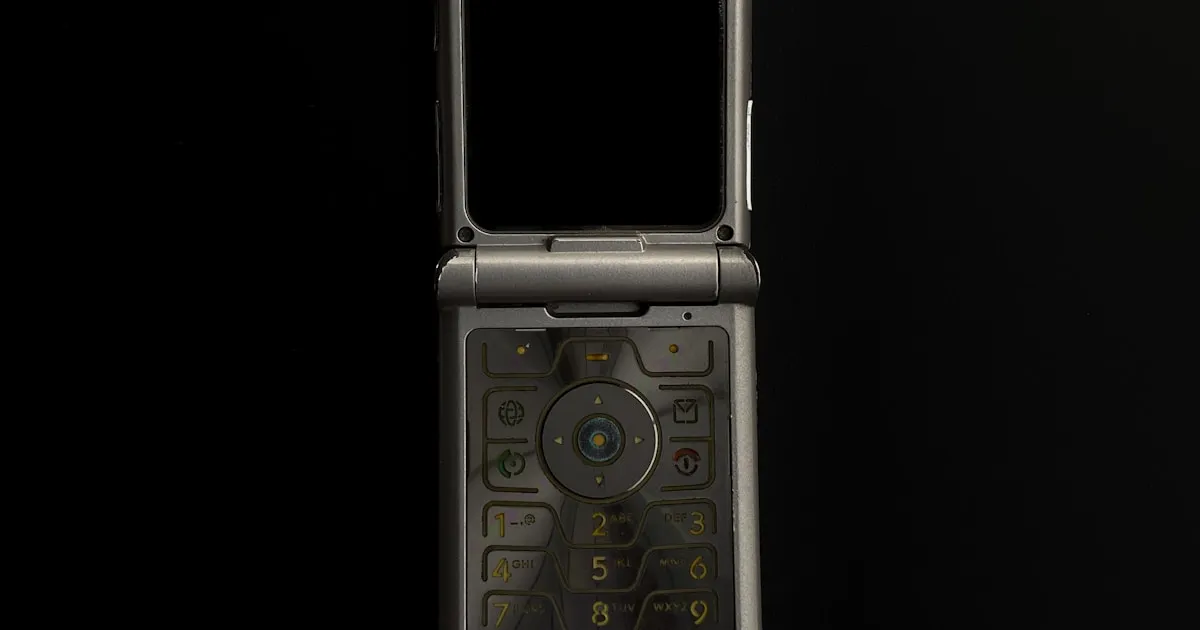
You've read the articles about reducing screen time. You've tried the app blockers, the grayscale mode, the scheduled Do Not Disturb. You've reorganized your home screen three times. And your Screen Time report still says 5 hours and 47 minutes.
At some point, a thought starts forming that you can't shake: What if the problem isn't my settings? What if the problem is the phone itself?
So you start researching dumb phones. And the internet gives you two kinds of content: glowing testimonials from people who switched and never looked back, or dismissive takes from people who call it impractical nostalgia.
Neither is honest. The truth is messier, more interesting, and more useful than either story.
This is what actually happens when real people — hundreds of them, documented across years of Reddit posts, forums, and community discussions — switch from a smartphone to a dumb phone. The good parts. The hard parts. And the compromises almost everyone eventually makes.
The First Week: The 5-Second Revelation
The single most powerful observation about dumb phones doesn't come from a study or a self-help book. It comes from a Norwegian user who carried a Mivo Folder for 12 months and noticed something about loading times:
"On a modern smartphone, everything is so snappy and fast that there is no room to think. On the Mivo, I had to wait 5 seconds for the next video to load. In those 5 seconds of lag, my brain would wake up. I would look at the blurry, loading screen and think: 'What am I waiting for? What am I doing with my life?'"
This is the dumb phone insight that no one talks about. The value isn't in what the device lacks. It's in what the friction reveals.
A smartphone is optimized to remove every millisecond of delay between your impulse and your action. Want to scroll? Instant. Want to check? Instant. Want to escape? Instant. There is never a gap between the urge and the behavior. A dumb phone puts that gap back in. And in that gap, you discover something startling: most of your phone use isn't something you want to do. It's something you do before you've had time to decide.
The same user discovered where his actual addiction lived:
"I don't doomscroll at work, at the gym, or with friends. I doomscroll at home... I would reward myself with 'motivation scrolling' before a 5-minute task, and then 'reward scrolling' after it."
This is the first week's gift. Not serenity. Not productivity. Just clarity about a pattern you couldn't see when the phone was too fast to let you think.
The Feng Shui Perspective: In classical Feng Shui, the goal is never to empty a space entirely — it's to create the right amount of friction for energy to flow intentionally. A hallway with no furniture lets Chi rush through uncontrolled. A hallway with a table, a plant, a curve — these slow the energy just enough that it nourishes instead of depletes. A dumb phone is the curve in the hallway. The 5-second delay is where the nourishment happens.
The Honest Device Guide: What Each Phone Actually Feels Like
The dumb phone market in 2026 is bigger than most people realize — and more confusing. Here's what real users say about each major option, not what the marketing copy promises.
Light Phone 3
What it is: The flagship of the minimalist phone movement. OLED touchscreen, slick design, purpose-built operating system with a curated set of "tools" (calls, texts, alarm, music, podcasts, directions, notes, calculator, camera, hotspot). No app store. No browser. No social media. Around $400.
What users love:
"LP 2 was my only phone for a good while, LP3 has been my only phone for the last few months. Love the upgrade."
The Light Phone 3 is the closest thing to "a smartphone that respects you." The touchscreen is responsive, the UI is clean, and the tool set covers the basics that make dumb phone life actually livable — particularly directions and music, which are deal breakers on many feature phones.
What users hate:
The price. At $400, the Light Phone 3 costs more than many mid-range smartphones. The community has a saying about this:
"Very few people pay the price for what it can do. Instead, they pay the price for what it cannot do."
This is a philosophical device. You're paying for constraints, not capabilities. Some people find that absurd. Others find it the whole point.
The LP3 also dropped the e-ink screen from the LP2 and removed the 3.5mm headphone jack — both decisions that frustrated loyal fans. And GPS navigation, while present, is basic:
"Only thing I really miss is a dedicated GPS for offline navigation for when I am hunting and fishing."
Best for: People who want a single daily phone that covers the basics without any social media temptation. People who value design and are willing to pay for intentionality.
Mudita Kompakt
What it is: An e-ink touchscreen phone from a Polish company focused on "mindful technology." Black-and-white display, minimal interface, basic tools. Positions itself as the anti-stimulation device — the e-ink screen is physically incapable of being visually addictive.
What users love:
The e-ink screen is the entire point. Where the Light Phone 3 went to OLED, the Kompakt doubled down on the paper-like display. For users who believe screen technology itself is part of the problem, this is the only option that addresses it:
"I've canceled my LP3 preorder 3 times. If I was to do it all again, I'd probably just go for the Kompakt."
What users hate:
Build quality issues have been reported multiple times:
"The offline+ button on mine was putting itself offline with a very little amount of friction! VERY annoying, so not reliable."
The Kompakt is still a young product from a small company. Hardware quirks, software bugs, and limited customer support are common complaints. This is an early-adopter device, not a polished consumer product.
Best for: E-ink purists who believe the screen itself is the enemy. People willing to tolerate hardware imperfections for the sake of maximum visual calm.
Nokia 2780 Flip / TCL Flip 4 5G
What they are: Traditional flip phones with basic calling, texting, and limited internet capabilities. KaiOS operating system with a few basic apps. $50-90.
What users love:
The price and simplicity. These are actual "just a phone" phones. They make calls, send texts, and do almost nothing else. For people who want the classic dumb phone experience at a fraction of the Light Phone's cost, these deliver.
What users hate:
"A pretty damn good summation, I've been loving my Kyocera flip, but it's come with a lot of compromise, and a lot of people don't want to compromise."
T9 texting is painful if you text frequently. Group messaging is unreliable. The camera is terrible. And the limited app ecosystem means no music streaming, no maps, and no podcasts unless you carry a second device.
Best for: Budget-conscious users, people who genuinely just want calls and texts, or anyone testing the dumb phone concept before investing in a premium device.
Unihertz Jelly Star / Sidephone
What they are: A new category — "smart minimalist" phones. Tiny Android devices with full app capability but screens so small (3 inches) that extended scrolling is physically uncomfortable. You can install Instagram. You just won't want to use it.
What users love:
"I've had mine for a month now and have cut back my screen time from 6+ hours to under 1 hour!"
These devices solve the biggest dumb phone deal breakers — WhatsApp, maps, banking apps, 2FA — while making addictive scrolling unpleasant. It's the "have your cake and eat it too" option.
What users hate:
It's an Android phone. The temptation is always one download away. For people whose addiction pathways are strong enough to need a hard barrier, a device that can install TikTok is a device that eventually will have TikTok.
Best for: People who need specific apps (WhatsApp, banking, maps) but want the physical constraint of a tiny screen. A middle ground between full smartphone and full dumb phone.
The Five Deal Breakers Nobody Warns You About
Every dumb phone review talks about the benefits. Almost none talk about the moments where you're standing in a parking garage, staring at a QR code you can't scan, wondering if you've made a terrible decision.
1. Group Chats Break
This is the #1 reason people abandon dumb phones. Modern group messaging relies on RCS or iMessage protocols that most dumb phones don't fully support. MMS group texts arrive out of order, miss messages, or fail entirely.
"I just can't have texting and group chats work unfortunately. It causes too many family and friend issues."
This isn't a minor annoyance. If your family coordinates through a group chat, or your friend group plans events through iMessage, switching to a dumb phone creates real social friction — the kind that affects relationships, not just convenience.
Workaround: Use a computer for messaging (WhatsApp Web, Facebook Messenger desktop). Or adopt the two-phone strategy (see below).
2. QR Codes Are Everywhere
In 2026, QR codes have replaced menus, parking payment, gym check-ins, event tickets, and boarding passes. A dumb phone with no camera or a bad camera makes these interactions impossible or humiliating.
"What about when you need to pay for parking and the only way to do it is via an app? What about when you go to a restaurant and the only way to order is via an internet browser?"
"The screen wasn't bright enough and the QR code was too small for the scanners. I had to dig out my physical membership card."
Workaround: Carry physical cards for everything. Print boarding passes. Ask for a physical menu. This works, but it requires advance planning that smartphone users never think about.
3. Two-Factor Authentication
Most banks, email providers, and work tools now require an authenticator app (Google Authenticator, Authy) or a push notification for login. Dumb phones can receive SMS codes, but many services are moving away from SMS-based 2FA.
"I use a Yubikey. It works with a laptop. I'm never in a situation where I need 2FA but don't have access to a laptop."
Workaround: A hardware security key (YubiKey, ~$50) replaces phone-based 2FA entirely. This is actually more secure than phone-based authentication.
4. Medical and Health Needs
For people with chronic conditions, a smartphone isn't a luxury — it's medical infrastructure.
"If you're like me and you have multiple chronic illnesses... Most of my appointments you get a text an hour before your appointment with a link that takes you to your check-in. Almost all pharmacies use apps as opposed to calling in refills now."
Workaround: This is one scenario where the two-phone strategy is genuinely necessary, not optional. Keep a smartphone for medical apps and leave it at home for everything else.
5. Social Currency (Especially Under 30)
"Unfortunately you are going to be that dude with a dumb phone."
In many social circles — particularly among younger adults — not having an Instagram handle to exchange is a real social barrier. This isn't vanity. It's how many people under 30 actually initiate and maintain friendships.
Workaround: Give people your phone number directly. Accept that some social connections require more effort to maintain — which, for many dumb phone users, turns out to be a feature, not a bug.
The digital ID threat: In several countries (Sweden, parts of the EU, UK), digital identity systems are becoming mandatory for banking and government services. These typically require a smartphone app. Check whether your country's digital ID infrastructure works with a dumb phone before switching — this is an emerging deal breaker that didn't exist two years ago.
The Two-Phone Strategy: What Most People Actually Do
Here's the truth that dumb phone evangelists rarely mention: the majority of long-term dumb phone users carry two devices.
Not because they failed. Because the world is built for smartphones, and a two-phone strategy is the most honest acknowledgment of that reality while still capturing the benefits of reduced screen time.
The most common setups:
The "Home iPhone" Model
"It's the only phone I bring with me. I still have my iPhone, but it lives plugged in on my dresser, where it's averaged 5 minutes of use per day for the past several weeks."
Carry the dumb phone everywhere. Keep the smartphone at home for specific tasks: messaging apps, banking, 2FA, booking appointments. The smartphone becomes a home appliance — like a microwave. Useful when you need it. Not something you carry around or stare at.
The "4 PM Cutoff" Model
"Daytime: I use my smartphone for work, the gym, and GPS. After 16:00: The smartphone is locked away."
Use the smartphone during working hours when you need maps, email, and work apps. Switch to the dumb phone at 4 PM. This model works well for people whose addiction is primarily an evening/nighttime problem — which, based on the research, is most people.
The "Dumb Phone + iPad" Model
"I got my Mudita because I already had an iPad and the iPhone seemed redundant, so getting the Mudita saves me money."
Replace the smartphone entirely with a dumb phone for portability and an iPad/computer for everything else. Smart functionality is available, but only when you're sitting down at a fixed location — which makes mindless scrolling much harder.
The key insight: The two-phone strategy works because it separates mobility from capability. Your pocket device is calm and limited. Your home device is powerful but stationary. The addiction lives in the combination of power + portability. Split them, and the compulsion loses its grip.
The People Who Stay (And What They Gain)
Not everyone comes back to the smartphone. Some people use a dumb phone for months, then years, and never look back.
The 12-month Norwegian user's results: read 19 books, established a strict daily routine, dramatically improved fitness results. Not because the phone made him read or exercise. Because it removed the thing that was filling every gap where reading and exercise could have lived.
After 12 months of carrying a dumb phone, he discovered something about FOMO that surprised him:
"In 12 months, not a single person sent an SMS to my 'dumb' number. They all used Messenger. I wasn't as 'essential' to the 24/7 digital loop as I thought."
The long-term users share a common philosophy. It's not that they're anti-technology. It's that they've concluded that convenience itself is the problem:
"Yes, it makes everything less convenient. But have you ever considered that maybe convenience is the problem? Personally I've found the inconvenience leads to more time to think, more time to be present."
"The cost of convenience is stealing your time, attention, happiness."
This is not a universal truth. For many people, convenience is genuinely valuable and the trade-offs aren't worth it. But for the subset of people who have tried everything else and still can't control their usage, the deliberate embrace of inconvenience is the intervention that works.
The People Who Come Back (And Why)
About half of dumb phone adopters eventually return to a smartphone. This isn't failure — it's data. Understanding why people come back helps you predict whether you'll be one of them.
The #1 reason is not that they missed Instagram. It's that the infrastructure of modern life assumed they had a smartphone, and the friction of working around that assumption exceeded their tolerance.
Group chats breaking. Missing flight check-ins. Needing a friend's phone to scan a parking meter QR code. Getting locked out of a bank account because 2FA required an app. These aren't moments of weakness. They're structural incompatibilities between a dumb phone and a world designed for smartphones.
The #2 reason is more painful: the realization that the addiction is deeper than the device.
"I cannot own an iPhone. I just cannot put myself in the position of having to decide not to use my phone 1000 times a day... The addiction pathways for me are too deep."
This person tried a dumb phone but couldn't make it work due to messaging limitations. They returned to a smartphone and fell back into 8-10 hours of daily use. For them, the phone wasn't the cause of the addiction — it was the delivery mechanism. And removing the mechanism without addressing the underlying pattern left the pattern intact, waiting for the next available screen.
"I feel like people do not empathize with it being an ADDICTION. It's like saying 'hey man, just do a LITTLE bit of crack instead of the whole bag'."
This is the hardest truth about dumb phones: they work brilliantly as an environmental intervention. But if the compulsion is strong enough, it will find another screen — a laptop, a tablet, a borrowed phone. The dumb phone buys you space, but it doesn't do the deeper work of understanding why you reach for stimulation in the first place.
A Decision Framework: Is a Dumb Phone Right for You?
Action Step
Answer these honestly:
-
Have you already tried software solutions? App blockers, grayscale mode, screen time limits, Focus modes, home screen reorganization. If you haven't exhausted these options, start there — they're free, reversible, and effective for most people. Our screen time reduction guide covers all 12 methods.
-
What's your daily screen time? Under 3 hours: software solutions are probably sufficient. 3-5 hours: consider the two-phone strategy. Over 5 hours despite active attempts to reduce: a dumb phone deserves serious consideration.
-
Where does your addiction live? If it's primarily at home (evening scrolling, bedtime doomscrolling), the "4 PM cutoff" model may be enough. If it's everywhere and constant, you need the phone out of your pocket.
-
Which deal breakers apply to you? Run through the five deal breakers above. If more than two apply to your daily life, a full switch will likely frustrate you into quitting. The two-phone strategy or a smart minimalist phone (Unihertz Jelly Star) may be more sustainable.
-
Can you afford the inconvenience? Not financially — emotionally and practically. A dumb phone will make some things harder. The question is whether the peace you gain is worth the friction you accept.
The Quick Comparison
| Device | Price | Screen | Maps | Music | Best For | |
|---|---|---|---|---|---|---|
| Light Phone 3 | ~$400 | OLED touch | ✅ Basic | ✅ | ❌ | Single-phone minimalism |
| Mudita Kompakt | ~$350 | E-ink touch | ✅ Basic | ✅ | ❌ | Maximum visual calm |
| Nokia 2780 Flip | ~$70 | LCD | ❌ | ❌ | ❌ | Budget / testing the concept |
| TCL Flip 4 5G | ~$90 | LCD | ❌ | ❌ | ❌ | Budget with 5G future-proofing |
| Unihertz Jelly Star | ~$150 | LCD touch (3") | ✅ Full | ✅ | ✅ | Need apps but want small screen |
One More Thing
There's a detail from that 12-month Norwegian user story that cuts through all the device comparisons and strategy debates. After a year of using a dumb phone, he reflected on something unexpected about music:
Before the switch, he had Spotify — infinite music, instantly available. He shuffled through playlists endlessly, never quite satisfied. After the switch, he started buying albums again. Physical ones. And he listened to them completely, start to finish, the way they were meant to be heard.
The dumb phone didn't make him enjoy music more. It removed the thing that was preventing him from enjoying music at all: unlimited, frictionless access.
That pattern applies to everything a dumb phone touches. Conversations get better because you're actually present. Walks get better because you're not checking your phone every three minutes. Books get better because you're not competing with notifications.
The dumb phone doesn't add anything to your life. It subtracts the thing that was subtracting from everything else.
Whether that trade-off is worth the inconvenience is a question only you can answer. But now, at least, you know what you're actually choosing between.
Not ready for a full switch? Start by restructuring your smartphone with Digital Feng Shui — the same benefits without changing devices. Or try a dopamine detox to understand your relationship with stimulation before making any hardware decisions. If your main issue is social media specifically, our guide on quitting social media covers what to expect. And for the simplest possible first step, turn your phone grayscale — it takes 30 seconds and changes more than you'd expect.
Tagged
More in Smartphone Feng Shui

Ready to start from the beginning?
The 30-Day Digital Feng Shui Challenge is a structured, day-by-day program to redesign your digital environment for good.
Start the 30-Day Challenge →