iPhone Alarm Didn't Go Off? Sleep Focus, Attention Aware, and the Other Real Causes (iOS 26 & iOS 27 Checklist)
Does Sleep Focus turn off your alarm? No, but plenty of other things quietly do: the shared ringer volume, Attention Aware Features, a sleep alarm that only plays on your Apple Watch, a notification arriving mid-ring, StandBy, and a sound set to None. A cause-by-cause checklist with the exact settings, plus why your Apple Watch buzzes during Sleep Focus.
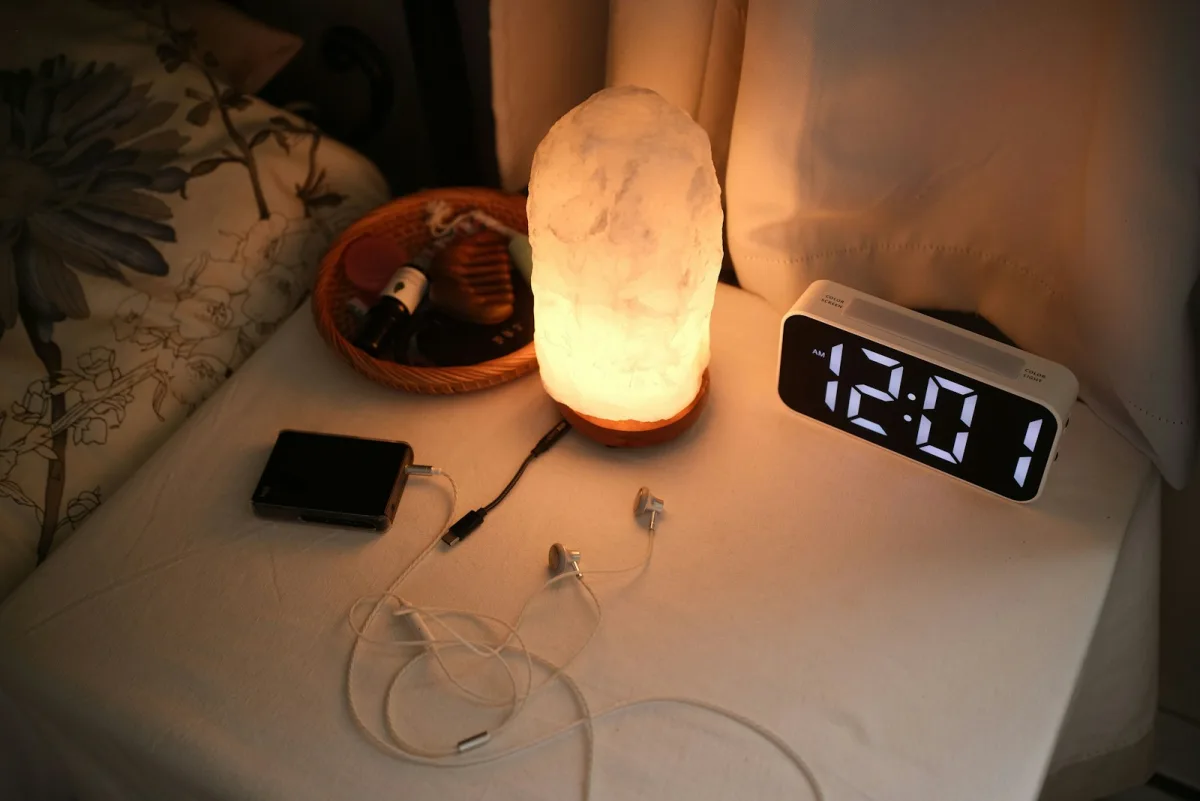
There's a particular kind of panic in waking up to daylight, grabbing your phone, and seeing the alarm screen sitting there, silent, as if it had been ringing the whole time.
On Xiaohongshu, the Chinese lifestyle app, posts titled "Why didn't my iPhone alarm go off?" run to hundreds of comments: missed exams, missed trains, a teacher with "a room full of kids waiting for me," and one person who missed work twice until "my emergency contact came to my house and shook me awake." English-speaking users on MacRumors describe the same thing: "I wake up late and look at the phone screen and there's no sound."
The good news is that most silent alarms have a findable cause. We collected the causes users report, checked each against Apple's documentation, and put them in order, from the most common to the rarest.
TL;DR: check these in order
- Alarm volume. On iOS 26 it's the Ringtone and Alerts slider. Turn off Change with Buttons. On iOS 27, set a separate alarm volume.
- Attention Aware Features can lower alert volume when you look at the phone. Turn it off if your alarm goes quiet.
- Sleep schedule alarm + Apple Watch: it plays only on the watch unless Always Play on iPhone is on (iOS 26.4+).
- Sound set to "None," or the sleep schedule's Alarm toggle switched off in Health.
- A notification mid-ring can cut the sound, users report.
- StandBy disables alarm haptics, and some users report no sound at all.
- Still failing? Restart, update, and keep a backup alarm.
First: Does Sleep Focus Turn Off Your Alarm?
No. Apple's support page on alarms is direct:
"Do Not Disturb, the Ring/Silent switch, and Silent mode don't affect the alarm sound. If you use the Ring/Silent switch or Action button to turn on Silent mode or turn on Do Not Disturb, the alarm still sounds."
Sleep Focus is built on the same system as Do Not Disturb. Turning it on doesn't silence alarms. So if your alarm failed during Sleep Focus, the Focus is almost never the reason, but it's the thing people blame first, which is why the real causes go unfixed.
For what Sleep Focus does change compared with Do Not Disturb, see Focus Mode vs Do Not Disturb.
Cause 1: The Alarm Volume Was Turned Down (Without You Noticing)
This is the most common cause, and the one users find most baffling.
On iOS 26 and earlier, alarms don't have their own volume. They use the Ringtone and Alerts slider in Settings → Sounds & Haptics. If Change with Buttons is on, the volume buttons on the side of the phone can move that slider. Press them at the wrong moment, and you've lowered tomorrow's alarm.
One user on Xiaohongshu checked after a missed alarm: "The volume in that setting really was very low. The alarm rang and I couldn't hear it. But I never touched that setting, and I don't think the buttons change it." The reply: "That's exactly what 'Change with Buttons' does. You turn it down without noticing, and it's not just alarms. Sometimes you can't hear messages either."
The most-liked fix in a 292-comment thread (189 likes):
"Settings → turn off Change with Buttons, then drag the ringtone volume all the way up. Then even if you watch videos and change the volume, it won't affect the ringer unless you go back into Settings. I was late several times before I figured this out."
The fix:
- iOS 26: Settings → Sounds & Haptics → drag Ringtone and Alerts up → turn Change with Buttons off.
- iOS 27: Apple added a separate alarm volume. Settings → Sounds & Haptics → under Alarms and Timers, turn off Match Ringtone Volume and set the alarm slider on its own. Apple notes that by default, alarms still match your ringtone volume, so this is opt-in.
- Sleep schedule alarms have their own volume slider inside the sleep schedule's alarm settings.
Cause 2: Attention Aware Features Lowered It
Apple describes Attention Aware Features like this: iPhone "checks for attention before dimming the display, expanding a notification when locked, or lowering the volume of some alerts." If Face ID sees you looking at the phone, it may decide you've noticed, and turn the sound down.
Users have connected this to alarms for years. A Xiaohongshu user whose phone switched to Sleep Focus at 10pm believed any glance after that counted: "I'd been suffering for almost a week. I was about to buy a new phone. I turned this off, and the next morning the alarm rang loud and clear." On MacRumors, one user narrowed it down: "I've only noticed it lowering the alarm if Face ID detects my face mid-alarm sounding."
The fix: Settings → Face ID & Passcode → turn off Attention Aware Features (also under Settings → Accessibility → Face ID & Attention). Apple says "some alerts," not alarms specifically, but it's the most commonly reported fix after volume, and it costs you very little to turn off.
Cause 3: Your Sleep Alarm Played on Your Apple Watch, Not Your Phone
If you use a sleep schedule (the Wake Up alarm in the Clock or Health app) and wear your Apple Watch to bed, the alarm is designed to play on the watch, so you can be woken by a tap on the wrist without waking a partner. Your iPhone stays quiet.
That's great until the watch is on the charger, has a dead battery, or is in Silent mode. Then nothing rings at all.
The fix: iOS 26.4 added Always Play on iPhone for sleep schedule alarms. Apple's description, quoted by 9to5Mac: "When you wear your Apple Watch to bed, your alarm will play on your iPhone and Apple Watch." It's off by default. Turn it on when you edit your sleep schedule's alarm in Clock or Health. Regular one-off alarms don't have this setting.
On the watch, there's also Break Through Silent Mode for the sleep alarm, which Apple describes as "Turn on to have sound always play while wearing Apple Watch."
Some users report the opposite problem after updating: phone and watch both ring when they only want the watch, or the watch stopped vibrating after they changed the setting. If your setup changed after an update, recheck both settings.
Cause 4: The Sound Was Set to "None," or the Sleep Alarm Was Switched Off
Two easy ones to miss.
Alarm sound set to None. Apple: "If your alarm only vibrates, make sure that your alarm sound isn't set to None." One Xiaohongshu user found exactly this after weeks of blaming the phone: "The sound option on the alarm I'd set was 'None.'" Check it in Clock → Alarms → Edit → tap the alarm → Sound.
Sleep schedule alarm toggled off. A sleep schedule can exist without an alarm. A user who nearly missed a trip found the fix buried in Health: "Health → edit your sleep schedule → turn the alarm back on." The path is Health → Browse → Sleep → Full Schedule & Options → tap the schedule → Alarm. Also check whether you used Next Wake Up Only, which changes only the following morning.
While you're in the alarm settings, set Haptics to something other than None, so the alarm vibrates even if the sound fails.
Cause 5: A Notification Arrived While It Was Ringing
This one is user-reported, not documented by Apple, but it comes up independently in both communities. On Xiaohongshu (70 likes): "If a notification comes in while it's ringing, it stops ringing and just sits on this screen. Tested it myself." On MacRumors, during the iOS 26 beta: "Usually it's because a notification stopped the sound from continuing to go off." Another iOS 26 tester: "I watched it go off for 5 seconds then abruptly stop ringing, and then stay on the screen with the stop button."
The fix: keep Sleep Focus on overnight with very few apps allowed through, so fewer notifications can arrive at wake-up time. This is one case where Sleep Focus helps your alarm.
Cause 6: StandBy Mode
If your phone charges on its side in StandBy, Apple notes that "haptics for your alarms are disabled." So no vibration, only sound. A few users also report alarms that showed in StandBy and made no sound at all. One iOS 26.1 beta user on a MagSafe stand: "Alarm time hits... it did... nothing but display the alarm. No sound. Silent mode is disabled."
A long-running Xiaohongshu troubleshooting guide puts turning off StandBy as its first step. If your alarm fails mostly when the phone is on a stand, try charging it flat for a week.
Cause 7: Headphones Still Connected
Apple says that with headphones connected, "the alarm plays at a set volume through the built-in speakers on your iPhone as well as wired and wireless headphones." So headphones alone shouldn't silence it. A phone repair shop answering on Xiaohongshu still listed "turn off Bluetooth before bed, the sound may go to your earbuds" as a step. If you fall asleep with earbuds in or a Bluetooth speaker connected, disconnecting them is a cheap test, especially for speakers, which Apple's page doesn't mention.
Cause 8: You Stopped It Without Waking Up
Sometimes it did ring.
- The alarm screen changed in iOS 26. In iOS 26.0, Stop and Snooze became two equal-sized buttons. iOS 26.1 switched Stop to a slide gesture, while Snooze is still a tap. Half-asleep users tap Snooze, the alarm stops, and the snooze countdown sits there quietly. To get a single tap-to-stop button back: Settings → Accessibility → Touch → Prefer Single-Touch Actions.
- Watch side button. On an Apple Watch, pressing the side button can quiet an alarm. One MacRumors user: "Pressing the side button and it quiets it and I will wake up 40 min later rushing."
- Alarms don't ring forever. Users on Xiaohongshu (181 likes) say an alarm stops ringing after roughly 15 minutes. Apple doesn't document a duration, but if you sleep through the first several minutes, you may wake to a silent alarm screen that did, in fact, ring.
The tell-tale sign of a snooze you don't remember: a snooze countdown on the lock screen.
Cause 9: Timing Quirks People Report (Unconfirmed)
These come up repeatedly in user threads, but we couldn't confirm them with Apple, so treat them as things to test, not facts:
- Editing an alarm after midnight. A Xiaohongshu user tested over several nights and believed that alarms edited after midnight didn't ring. An older Apple Community thread reports something similar for sleep schedule alarms. If you edit alarms late at night, double-check that the alarm says it will ring today, not tomorrow.
- A sleep alarm overlapping a regular alarm. Several users report an earlier one-off alarm failing on a morning their sleep schedule was also active. If you need an unusual wake-up time, try changing the sleep schedule's next alarm instead of adding a separate one.
Cause 10: It Really Was a Bug
It happens. In April 2024, Apple acknowledged an issue with Clock alarms "failing to play a sound" on iOS 17 and said it was working on a fix. We found no Apple-acknowledged alarm bug in the iOS 26 release notes, but users report alarms that only started working again after a restart, sometimes for a few days at a time.
One Xiaohongshu user's account is a good summary of how frustrating this is: "I set everything. Max volume, silent off, Attention Aware off, separate alarms on my phone and watch, plus a sleep alarm, and I still caught it once: I woke up and saw the alarm silently 'ringing.'"
What to do: update iOS, restart the phone (users widely report this clears it, at least temporarily), and then test your alarm by setting one for two minutes from now with the phone locked.
The Backup Plan
People who have missed something important tend to end up in the same place: a second alarm that doesn't depend on your phone's settings.
- A standalone alarm clock. The most common fix. One user, after missing work twice: "In the end, the solution was buying an alarm clock."
- A second device. A watch, an old phone, or a smart speaker.
- A Shortcuts backup. One Xiaohongshu user built a safety net with personal automations triggered when an alarm goes off or is stopped. A simpler version: set a second Clock alarm five minutes after the first.
A standalone alarm clock also solves a different problem: it lets the phone sleep somewhere else. See what happens when you keep your phone out of the bedroom.
Bonus: Why Your Apple Watch Buzzes During Sleep Focus
The opposite complaint is just as common: you turned on Sleep Focus and your watch still tapped you awake.
- Your watch follows your iPhone's Focus. Apple: "When you set up Focus on your iPhone, your Apple Watch automatically uses the same preferences." Anything allowed through Sleep Focus on the phone (people, apps, time-sensitive notifications) can come through on your wrist. Trim the allowed list.
- Activity reminders. The most-liked reply on one Xiaohongshu post (160 likes): "My watch messaged me in the middle of the night to stand up for a minute." If Stand or other activity reminders wake you, turn them off in the Watch app's Activity settings.
- Half-awake alerts. One user noticed that alerts only came when they were already half awake, and suspected the watch had decided they'd woken up. Others use Theater Mode at night, which keeps the screen dark and the watch silent.
- Old devices on your account. A Xiaohongshu guide with 818 saves suggested removing old iPhones from your Apple Account if Focus behaves strangely, since Focus can be shared across devices.
The Digital Feng Shui Angle
In Feng Shui, the bedroom is the most protected room in the house: the place for rest, with as little stimulation as possible. Using your phone as your alarm means your most stimulating device has to be the last thing you touch at night and the first thing you touch in the morning.
The irony of this whole checklist is that most of these failures come from the phone doing too many jobs at once: alarm, media player, notification hub, sleep tracker. A $15 alarm clock does one job. It doesn't check if you're looking at it, it doesn't route sound to your earbuds, and it doesn't care whether your watch is on the charger.
Where to Go Next
- Focus Mode vs Do Not Disturb — what Sleep Focus actually does, and how it differs from DND.
- What Happens When You Keep Your Phone Out of the Bedroom — the alarm-clock switch, and how to let emergency calls through.
- How to Set Up Do Not Disturb on iPhone & Android — allowlists, schedules, and repeated calls.
- Share Focus Status on iPhone — what other people see when your Focus is on.
Frequently Asked Questions
If I have Sleep Focus on, will my alarm go off?
Yes. Apple says Do Not Disturb, Silent mode, and the Ring/Silent switch don't affect the alarm sound, and Sleep Focus is built on the same system. If your alarm didn't sound during Sleep Focus, the cause is almost always something else: the alarm volume, Attention Aware Features, a sleep alarm that only played on your Apple Watch, or the alarm sound set to None.
Why did my iPhone alarm show on screen but make no sound?
The most common causes are a very low Ringtone and Alerts volume (on iOS 26 the alarm shares that one slider, which the volume buttons can change if "Change with Buttons" is on), Attention Aware Features lowering the volume when you look at the phone, the alarm sound set to None, or a notification arriving while the alarm was ringing. Users also report silent alarms in StandBy mode.
Why didn't my sleep schedule alarm ring on my iPhone?
If you wear your Apple Watch to bed, the sleep schedule alarm plays on the watch, not the phone, unless you turn on Always Play on iPhone, added in iOS 26.4. Also check that the Alarm toggle is on in your sleep schedule (Health → Browse → Sleep → Full Schedule & Options).
How do I make my iPhone alarm louder without making everything louder?
On iOS 27, go to Settings → Sounds & Haptics, turn off Match Ringtone Volume under Alarms and Timers, and set a separate alarm volume. On iOS 26, alarms share the Ringtone and Alerts slider; set it high and turn off Change with Buttons so the volume buttons don't lower it by accident.
Why does my Apple Watch vibrate during Sleep Focus?
Your watch follows your iPhone's Focus settings, so anything allowed through Sleep Focus on the phone can also tap your wrist. Check which people and apps are allowed in Sleep Focus. Users also report being woken by Stand reminders and other activity alerts, which you can turn off in the Watch app.
Should I use a separate alarm clock?
If a missed alarm would be costly (an exam, a flight, an early shift), yes. A cheap standalone alarm clock is the most common fix people settle on after a missed alarm, and it also lets you keep your phone out of the bedroom.
Tagged
More in Smartphone Feng Shui
Free Brick Alternative: How to Make a DIY Brick With Foqos and a $1 NFC Tag (2026 Setup Guide)
12 min read
How Kids Bypass Screen Time on iPhone and iPad (and the Setting That Stops Each Trick, iOS 26 & iOS 27)
14 min read
Using a Second Phone Just for Social Media (or Work): Does It Actually Reduce Screen Time?
11 min read
Ready to start from the beginning?
The 30-Day Digital Feng Shui Challenge is a structured, day-by-day program to redesign your digital environment for good.
Start the 30-Day Challenge →