Share Focus Status on iPhone: What Others Actually See (and Can Android Users See It?)
"Has notifications silenced" — what does it reveal, who sees it, and what doesn't it mean? Plain answers on Share Focus Status: what iPhone, Android, and blocked contacts see, whether it shows Sleep Focus by name, Notify Anyway, and how to hide it from specific people.
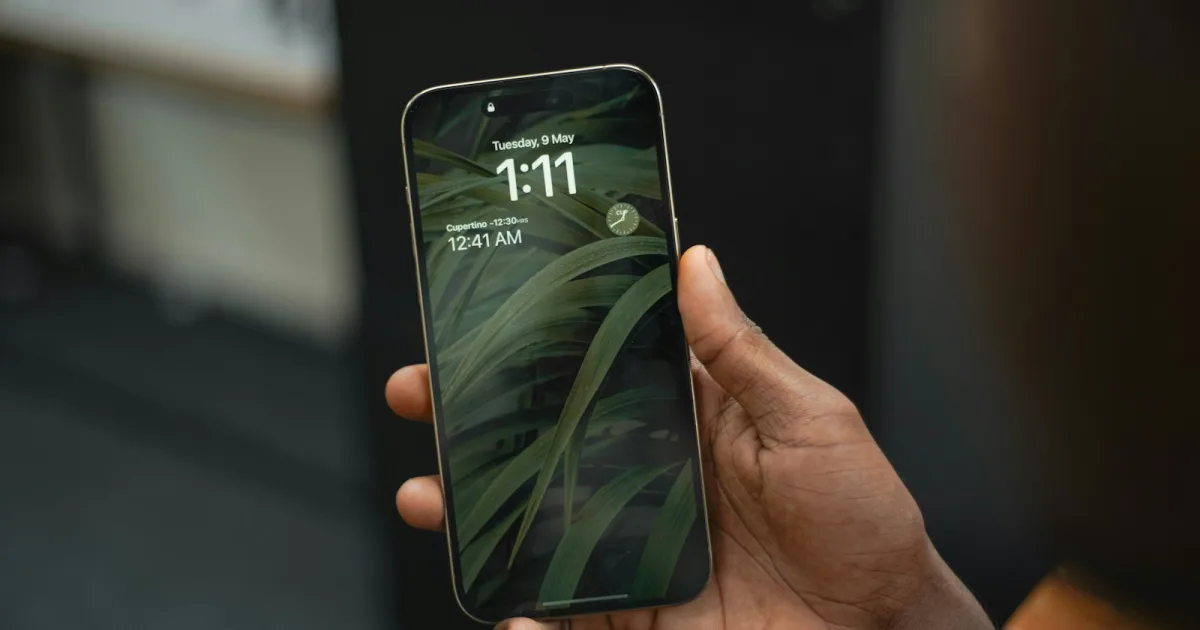
You text someone and a small gray line appears under your message: "[Name] has notifications silenced."
Or you're the one with Focus on, and you start wondering: who can see that? Can my boss see I'm in Sleep mode? Can my Android friends see it? Does it give away that I'm ignoring someone?
The feature behind that line is Share Focus Status. It's simpler than it looks, and it reveals much less than people assume. Here's exactly what it shows, to whom, and how to control it.
TL;DR
- "Has notifications silenced" = that person has a Focus on and is sharing their status. Your message was delivered.
- It never shows which Focus. Sleep, Work, and Do Not Disturb all look the same from outside.
- Only iMessage users see it. Android users (SMS/RCS) don't.
- Only one Focus can be on at a time. You can't stack two.
- You can hide it per Focus or per person — Settings → Focus → Focus Status, or tap the contact's name in Messages.
What "Has Notifications Silenced" Actually Means
Apple's description is one line: when a Focus is on, apps you allow can show that you have notifications silenced. In practice, the app is almost always Messages.
When someone has a Focus on and shares their status, anyone texting them in iMessage sees a gray line under the conversation: "[Name] has notifications silenced." Three things are true at that moment:
- Your message was delivered. Focus silences the alert, not the message. It's sitting in their Messages app.
- They probably won't see it right away — unless you're on their allowed list for that Focus.
- You may get a "Notify Anyway" option. Tapping it pushes your message through as a notification despite the Focus. It's meant for things that genuinely can't wait.
That's it. It doesn't say why they're unavailable, which Focus they're using, or whether they've seen your message.
Who Can See Your Focus Status (and Who Can't)
| Who | Do they see "notifications silenced"? |
|---|---|
| iPhone, iPad, or Mac user texting you in iMessage (blue bubble) | Yes, if you're sharing status for the active Focus |
| Android user (green bubble, SMS or RCS) | No — Focus status travels over iMessage only |
| Someone you've turned off sharing for in Messages | No |
| Someone you've blocked | No, per user tests (see below) |
| Anyone, if Share Focus Status is off | No |
Can Android users see Focus status?
No. Focus status is an iMessage feature, and Android phones don't use iMessage — they reach your iPhone over SMS or RCS. An Android friend texting you during Sleep Focus sees an ordinary conversation, with no banner and no Notify Anyway option. Their message still arrives on your end and still gets silenced like any other.
The reverse is also true: if you text an Android user, you'll never see a Focus status for them, even if their phone is in Do Not Disturb.
Can someone you blocked see your Focus status?
User testing says no. One Reddit user wanted to know whether seeing an ex's "notifications silenced" meant they'd been unblocked, so they tested it with a friend. While unblocked, the friend's Focus status was visible. The moment the friend blocked them — with Do Not Disturb still on — the status disappeared immediately.
Apple doesn't document this, so treat it as observed behavior. But it matches how blocking works: a blocked contact doesn't get iMessage delivery details from you, and Focus status rides on the same channel.
Don't read too much into the banner. People ask online whether seeing someone's status means they've been unblocked, are being ignored, or are being avoided. The banner can appear or disappear because a Sleep schedule started, a Work Focus ended, or the person changed one setting. It describes the phone's state, not the person's intentions.
Does It Show Sleep Focus by Name?
No. Apple is explicit: others may see that you have notifications silenced, but not the name of the Focus you're using. Sleep, Work, Personal, Driving, Do Not Disturb, and any custom Focus you create all produce the identical line.
So no, your boss can't tell you're in Sleep Focus at 2pm, and your friends can't tell you've set up a Focus named "Avoiding Everyone." All anyone sees is "notifications silenced."
If you'd rather some Focuses not show even that much, turn sharing off just for those (next section).
Can You Have Two Focus Modes On at the Same Time?
No. On iPhone, only one Focus can be active at a time. Turning on Work while Sleep is running switches Sleep off. That's also why your Focus status never shows two things at once.
If you want the effects of two Focuses together — say, Work's allowed apps plus Do Not Disturb's silence for everyone except your partner — create one custom Focus that combines both sets of rules. Settings → Focus → + → Custom, then set its allowed people, allowed apps, and schedule.
For how the built-in options differ in the first place, see Focus Mode vs Do Not Disturb. On Android, where "modes" and schedules work differently, see Android Focus Mode with Multiple Schedules.
How to Control Who Sees It
Turn it off for everyone
Settings → Focus → Focus Status → turn off Share Focus Status. Nobody sees the banner, and nobody gets Notify Anyway, because the two features come as a pair: no shared status, no button to push through it.
Turn it off for some Focuses only
In the same Focus Status screen, leave Share Focus Status on and switch off the individual Focuses you'd rather keep private. A common setup: share status for Sleep and Driving (so people know why you're not answering), but not for Work or Personal.
Turn it off for one person
Open your Messages conversation with them → tap their name at the top → turn off Share Focus Status. They can still text you normally; they just won't see when you're silenced, and won't have a Notify Anyway button.
This is the right fix if one particular person keeps hitting Notify Anyway for things that could have waited.
Let someone through instead of hiding from them
If the goal is "my partner should always reach me," don't fiddle with status at all. Add them as an allowed person in each Focus, or turn on Emergency Bypass in their contact's ringtone and text tone settings. Then they're never silenced to begin with.
Troubleshooting: "It Says Notifications Silenced But My Focus Is Off"
This one shows up regularly in Apple's support forums: a contact reports seeing your "notifications silenced" banner when you have no Focus on. Usual causes:
- A scheduled Focus is running. Check Settings → Focus for any schedule or Smart Activation, especially Sleep tied to your Health sleep schedule.
- A Focus is on from another device. Focus syncs across your Apple devices by default (the Share Across Devices toggle in Focus settings). A Mac in Do Not Disturb can silence your iPhone, too.
- Driving Focus auto-activated from CarPlay or Bluetooth.
- A stale status. Apple Community advice for a banner that sticks around with no Focus on: restart the iPhone, then toggle Share Focus Status off and back on.
The Digital Feng Shui Angle
"Notifications silenced" is a small sign on a door: occupied, come back later. In a well-arranged space, that sign protects rest and focus without anyone having to explain themselves.
The mistake is turning the sign into a source of anxiety, for the person checking whether you're ignoring them or for you worrying about what the sign reveals. It reveals very little, by design. Use it the way it's intended: share it where it saves people guesswork (Sleep, Driving), hide it where it invites questions, and let the people who truly need you walk straight through with an allowed-contact exception. A well-designed notification setup does the boundary-setting so you don't have to.
Where to Go Next
- Focus Mode vs Do Not Disturb — what actually differs, including Sleep Focus vs DND at night.
- How to Set Up Do Not Disturb on iPhone & Android — schedules, allowlists, and the settings that leak notifications.
- How to Manage Phone Notifications — the three-layer system for fewer interruptions overall.
- Android Focus Mode with Multiple Schedules — the Android side of the same problem.
Frequently Asked Questions
What does "has notifications silenced" mean on iPhone?
It means the person has a Focus turned on (Do Not Disturb, Sleep, Work, or a custom one) and has chosen to share their Focus status. Your message is still delivered; they just won't get an alert unless you're on their allowed list or you tap Notify Anyway.
Can Android users see my Focus status?
No. Focus status is shared through iMessage, and Android users text iPhones over SMS or RCS, not iMessage. An Android user won't see the "notifications silenced" banner, and won't get the Notify Anyway option.
Does Focus status show which Focus I'm using, like Sleep?
No. Apple says others may see that you have notifications silenced, but not the name of the Focus. Sleep, Work, Personal, and Do Not Disturb all look identical from the outside.
Can you have two Focus modes on at the same time on iPhone?
No. Only one Focus can be active at a time; turning on a second one turns off the first. If you want the effects of two, build one custom Focus that combines their allowed people, apps, and schedules.
Can someone I blocked see my Focus status?
Based on user tests, no. One person tested it live: a friend's Focus status was visible while they were unblocked and disappeared immediately when the friend blocked them with Do Not Disturb still on. Apple hasn't documented this, so treat it as observed behavior rather than a guarantee.
Does "notifications silenced" mean they're ignoring me?
Not necessarily. Most Focuses run on schedules — Sleep at night, Work during the day — so the banner often appears automatically. It tells you their phone is quiet, not how they feel about your message.
How do I turn off "notifications silenced" for everyone?
Go to Settings → Focus → Focus Status and turn off Share Focus Status. Nobody will see the banner, and nobody will get the Notify Anyway option either, since the two come as a pair.
Tagged
More in Smartphone Feng Shui

Ready to start from the beginning?
The 30-Day Digital Feng Shui Challenge is a structured, day-by-day program to redesign your digital environment for good.
Start the 30-Day Challenge →