Brick vs Unpluq: What Users Actually Say After Months With a Physical Phone Blocker (2026)
Real owner experiences with Brick and Unpluq: where people keep the tag, the emergency-unlock trap, the browser loophole, subscription vs one-time price, and the $1 DIY NFC setup Reddit keeps recommending instead.
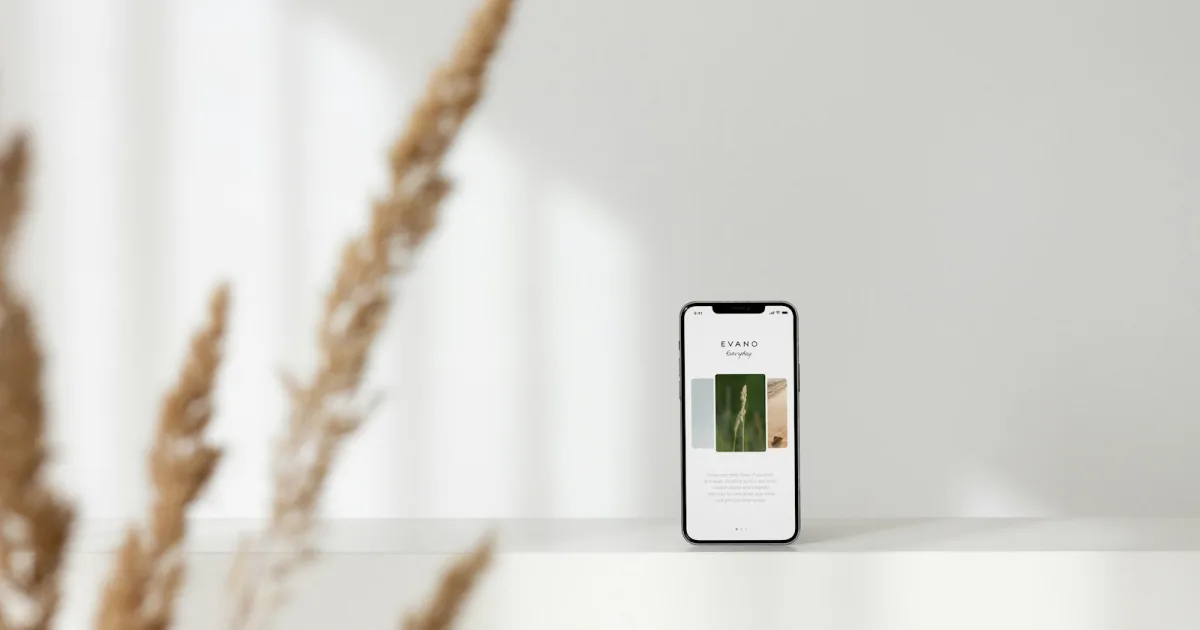
There's a new category of gadget all over Instagram ads: a small object you tap your phone against to lock your distracting apps, and tap again to unlock them. Brick and Unpluq are the two best-known. Scrolly, Bloom, Zenbox and others keep appearing.
The pitch is simple: an app blocker you can cancel from your couch isn't a blocker. One you can only cancel by walking to the kitchen drawer might be.
We read through the threads where owners describe actually living with these things — r/nosurf, r/dumbphones, r/digitalminimalism — and checked the claims against the companies' own current product pages. Here's what people report after months of use, not what the ads say.
TL;DR
- The mechanic works. Owners consistently say the physical tap creates friction an app alone doesn't.
- Brick = $59 once, no subscription, iPhone and Android, strict (5 emergency unbricks, total).
- Unpluq = subscription, portable tag, more ways to unlock, more forgiving.
- Placement is everything. The tag only works if it lives somewhere you aren't when the urge hits.
- Reddit's favorite alternative: a few cents of NFC stickers plus a free app like Foqos.
- Close the Screen Time loophole too, or none of these is truly locked.
How Physical Blockers Work
Every product in this category does the same basic thing:
- You choose which apps (and sometimes websites) to block.
- You tap your phone on the tag. The apps lock.
- To unlock, you tap the same tag again.
The tag itself is just an NFC chip, the same technology as a contactless transit card. All the blocking happens in the app on your phone, which on iPhone uses Apple's Screen Time framework, like every other blocker.
So why does a $1 chip make a difference? Because it moves the "off switch" out of your hand. A Brick owner of about a year put it simply: "I love the Brick bc you have to physically scan your phone to an object... When I go to work, I leave that damn magnet home. I have 0 option."
Brick: What Owners Report
What it is: a small magnetic block. According to Brick's site: $59, one-time, no subscription mentioned, works with iPhone (iOS 18+) and Android (12+), one Brick can be used with as many phones as you like, and it comes with a 30-day money-back guarantee.
Older reviews are out of date. A widely shared 2025 comparison describes Brick as iPhone-only. Brick's current FAQ says it supports Android 12.0 and later. Check the date on any review you read.
What people love:
- No subscription. This comes up in almost every recommendation.
- It's strict. Brick's FAQ says it includes five emergency unbricks, and its Strict Mode aims to stop you from deleting the app or changing settings to unbrick.
- It works for long stretches. One user wrote that they leave their phone bricked "about 12 to 14 hours every day including sleeping," with work apps cut off at 6pm and everything else at 8:30pm except calls and texts. Their description: "the closest thing" to life before cell phones.
- Schedules. Brick added scheduling, which owners say fixes the biggest early complaint: having to remember to brick yourself every evening.
What trips people up:
- Forgetting to unbrick before leaving. The same happy owner above: "I keep forgetting to unbrick before I go to work! Eeek!" That's exactly how people burn through their emergency unbricks. Several commenters solved it by keeping the Brick in the car, or using a schedule to switch to a work mode automatically.
- Running out of emergency unbricks. Brick's FAQ says you can contact them to request more. Users in r/digitalminimalism shared the same thing: there's a way back, but you have to ask.
- Browser loophole. One prospective buyer asked the question everyone should ask: "It doesn't matter if I deleted the Reddit and Instagram apps, I just go to my browser and scroll there." Brick's FAQ says that on iPhone you can block "selected Safari sites from Apple's approved list" — so check that your specific sites are covered before you buy.
Unpluq: What Owners Report
What it is: a small tag that clips onto keys or a bag. According to Unpluq's site: works on iPhone (iOS 16+) and Android, the tag is included with a Premium subscription (required to use it), with up to seven alternative "digital barriers," and a 30-day money-back guarantee. Pricing varies by plan length and promotions, so check their site; one owner reported paying about $67/year in 2025.
What people like:
- It's portable. The tag goes where you go. Good if you want to unlock deliberately during the day without walking home.
- More forgiving. The owner of both devices describes timed unlocks that automatically relock after a few minutes, plus several unlock options besides the tag. It's a softer approach than Brick.
The trade-offs:
- The subscription. This is the most common reason people pick Brick instead.
- Portable cuts both ways. If the tag is on your keyring, it's in your pocket when the urge hits. Flexible is great for some people, and for others it's just a slower way to say yes.
Brick vs Unpluq at a Glance
| Brick | Unpluq | |
|---|---|---|
| Price model | $59 one-time | Subscription (tag included with Premium) |
| Platforms | iPhone (iOS 18+), Android (12+) | iPhone (iOS 16+), Android |
| Form | Magnetic block, meant to stay put | Small tag, clips to keys |
| Emergency escape | 5 emergency unbricks total; contact support for more | Multiple "digital barriers" as alternatives |
| Strictness | High | Medium — more flexible by design |
| Best for | People who want a hard line and no monthly fee | People who want friction but need daytime flexibility |
Prices and specs from each company's site as of October 2026. Check current pricing before you buy.
The $1 Alternative Reddit Keeps Recommending
In almost every "which physical blocker should I buy?" thread, the top replies say the same thing: don't buy one.
"Just buy an NFC sticker for literal pennies, stick it on a large physical object so you don't lose it, and set it up with Switchly, Lock, Curbox, etc. There's your physical blocker."
Another user's refinement: use two tags, one that locks (near where you scroll) and one that unlocks, placed somewhere annoying like the front door. Others suggested reusing old transit cards or bank cards as tags, or using QR codes printed on paper.
On iPhone, the app most often named is Foqos, which is free, open source, and has no in-app purchases. Its site says you can start or end a session with an NFC tag (standard NTAG213 stickers work) or a QR code, and it blocks both apps and websites through Apple's Screen Time APIs. On Android, users name Switchly, Lock, and Screentide.
What you give up: the industrial design, the polished onboarding, and a company to email when something breaks. What you keep: the mechanic that actually does the work.
The Loophole None of Them Can Close on Their Own
On iPhone, Brick, Unpluq, Foqos, and Opal all run on Apple's Screen Time framework. That means they share its classic weak spot: you can switch off the app's Screen Time access in Settings, and the block disappears.
One r/dumbphones user described working around Opal's Settings lockout by rebooting the phone, which gave them about 30 seconds to bypass it. They wanted to know if Brick or Unpluq would be any different. The most useful reply had nothing to do with which tag to buy:
"My solution was to have a friend set a Screen time passcode for me that only they know."
That advice became much stronger in iOS 26.4, which added Lock Screen Time Settings. Developers report that once it's set, revoking a blocker's Screen Time access requires that passcode. Pair a physical blocker with a passcode someone else sets, and the tag really is the only way out. We cover the full setup, including the reported bugs, in Unbreakable iPhone App Blocker.
Where to Put the Tag
Every success story follows the same rule: the tag lives where the urge doesn't.
- Evening scroller? Keep the tag at your desk or in the car, and brick yourself on the way home.
- Work-hours distraction? Leave the tag at home. You won't be able to unlock until you get back.
- Bedtime doomscroller? Put the tag in the kitchen, and the phone too, ideally. (More on that in what happens when you keep your phone out of the bedroom.)
- Never keep it on the nightstand or in the same bag as your phone.
Who Should Buy What
- Choose Brick if you want a hard line, hate subscriptions, and can commit to keeping it in one place.
- Choose Unpluq if you need to unlock deliberately during the day and value flexibility over strictness.
- Choose the DIY NFC route if you're comfortable with a little setup and want to spend about a dollar.
- Choose a timed lock box if you want the whole phone gone for a set time; see what lock box owners report.
- Choose none of them if you've already decided the problem is the phone itself. Owners of minimalist phones report a different kind of relief; see Light Phone III vs Mudita Kompakt vs Sidephone.
The Digital Feng Shui Angle
In Feng Shui, you don't fight energy head-on. You redirect it with placement: a screen in a hallway, a plant at a corner, a door that opens the right way.
A physical blocker is placement applied to your phone. It doesn't ask you to resist anything. It just puts the doorway to your distracting apps on the far side of the house. A Reddit user describing a related fix (charging their phone outside the bedroom) summed up why it works: "It is wild how much of discipline is just not putting the trap within arm reach."
Where to Go Next
- Unbreakable iPhone App Blocker — close the Screen Time loophole that every iPhone blocker, physical or not, shares.
- Best iPhone App Blockers 2026 — Freedom, Opal, AppBlock, and One Sec compared.
- Light Phone III vs Mudita Kompakt vs Sidephone — when you'd rather change the phone than lock it.
- What Happens When You Switch to a Dumb Phone for a Year — the bigger decision behind all of this.
Frequently Asked Questions
What's the difference between Brick and Unpluq?
Both block apps until you physically tap your phone on an NFC tag. Brick is a one-time $59 purchase with no subscription, a magnetic block meant to stay in one place, and five emergency unbricks in total. Unpluq is subscription-based (the tag comes with a Premium plan), the tag is small enough to clip on your keys, and it offers several "digital barriers" as alternative ways to unlock. Brick is stricter; Unpluq is more flexible.
Does Brick work on Android?
Yes. Brick's FAQ says it works with Android 12.0 or later and iPhones on iOS 18.0 or later. Older reviews describing Brick as iPhone-only are out of date.
What happens when you run out of Brick emergency unbricks?
Brick includes five emergency unbricks that unblock all apps at once. Once they're gone, you need the physical Brick to unlock, or you contact Brick to request more. Owners say the most common reason they burn through them is forgetting to unbrick before leaving the Brick at home.
Can you bypass Brick or Unpluq?
On iPhone, both rely on Apple's Screen Time framework, so the main bypass is the same as for any app blocker: switching off the app's Screen Time access in Settings. On iOS 26.4 or later, you can close that by having someone else set a Lock Screen Time Settings passcode. Brick's Strict Mode also aims to stop you from deleting the app to escape.
Is there a cheaper alternative to Brick?
Yes. Many Reddit users recommend buying blank NFC stickers for a few cents each and using a free app: Foqos on iPhone (free and open source, supports NFC tags and QR codes) or apps like Switchly on Android. You lose Brick's polish and hardware design, but get the same core mechanic.
Where should I keep my Brick or Unpluq tag?
Wherever the urge isn't. Owners report the setups that work best put the tag somewhere you can't reach in a weak moment: in the car, at the office, or in a drawer by the front door. One owner leaves their Brick at home when they go to work, so they have zero option to unlock during the day.
Tagged
More in Smartphone Feng Shui
Ready to start from the beginning?
The 30-Day Digital Feng Shui Challenge is a structured, day-by-day program to redesign your digital environment for good.
Start the 30-Day Challenge →