What is Digital Feng Shui? Chi, the Bagua Map, and the Five Elements Explained
Digital Feng Shui applies ancient spatial-harmony principles to modern devices. Learn the four core concepts — Chi energy flow, digital clutter, the Bagua life-areas map, and the Five Elements — and how they differ from digital minimalism.
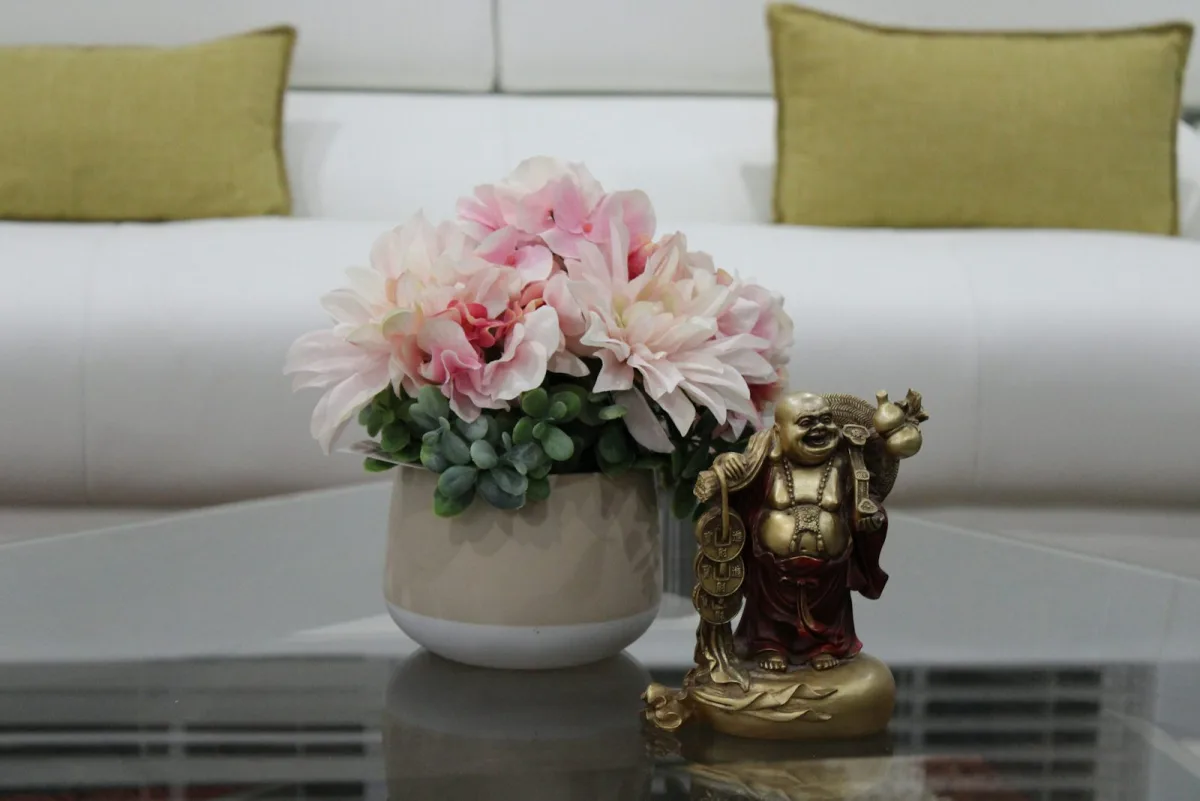
We spend hours curating our physical spaces. We arrange furniture for better flow, choose colors to feel calm, and clear clutter to clear our minds. We intuitively understand that our environment affects our well-being.
So why do we tolerate living in digital chaos? Our desktops are messy, our inboxes are overflowing, and our phones are a constant source of distraction. This digital environment is where we spend a huge portion of our lives, yet we treat it like a junk drawer.
This is where Digital Feng Shui comes in. It's not about superstition or rigid rules. It's about consciously shaping your digital world — using four practical concepts borrowed from a 3,000-year-old spatial-harmony tradition — to improve your focus, energy, and sense of peace.
The four concepts, in one line each:
- Chi — the flow of attention and information through your devices
- Clutter — what blocks that flow and creates mental fog
- The Bagua Map — organizing digital tools by life area, not just function
- The Five Elements — balancing different types of digital consumption
Chi (气): Your Digital Energy Flow
In Feng Shui, Chi is the vital life force that flows through everything. In your digital life, Chi is your attention, your creativity, and your ability to enter a state of deep focus.
⚡ Digital Chi Flow
Good Chi looks like: an empty inbox, a clear desktop, an uninterrupted workflow. It feels effortless.
Blocked Chi looks like: an inbox with thousands of unread messages, a downloads folder you're afraid to open, 50 browser tabs. It feels overwhelming.
This isn't just a metaphor. A few findings from cognitive science explain why blocked digital Chi is physically tiring, not just annoying:
- Attention residue — Dr. Sophie Leroy's research shows that when you switch tasks, part of your attention stays stuck on the previous one. Jump between apps enough times and you're never fully present in any of them.
- The Default Mode Network — Neuroscientist Dr. Marcus Raichle found that the brain needs downtime to consolidate information and restore focus. Constant notifications and scrolling keep this network from doing its job, which is why a "relaxing" hour of feed-scrolling can leave you more tired than before.
- Dopamine dysregulation — Apps built on intermittent reinforcement (a new post might be interesting, might not) train your reward system to crave checking rather than finding satisfaction. Dr. Anna Lembke's research on this is part of why "just one more scroll" rarely feels like enough.
The goal of Digital Feng Shui is to remove blockages and let Chi flow — not by forcing more willpower, but by changing the environment so good behavior is the path of least resistance.
Clutter: The Silent Energy Drain
Digital clutter is more than a messy screen. Every unused app, untitled file, and old bookmark is a small piece of mental weight — what psychologists call cognitive load. It's the reason a cluttered desktop makes you feel tired before you've even started working.
Digital clutter includes:
- Old screenshots and duplicate files
- Apps you never open but still see every day
- An inbox in the thousands
- Feeds filled with content that doesn't inspire you
Clearing digital clutter isn't housekeeping for its own sake — it's freeing up mental energy that clutter is currently taxing, whether you notice it or not.
The Five Elements of Digital Chi
Traditional Chinese philosophy describes five elements — Wood, Fire, Earth, Metal, and Water — that should stay in balance for healthy energy flow. Applied to a digital diet, each element maps to a different category of consumption:
| Element | Digital Expression | Balanced | Excessive |
|---|---|---|---|
| Wood (木) — Growth | Learning apps, creative tools, tutorials | Steady inspiration and skill-building | Endless course-hoarding, no application |
| Fire (火) — Connection | Social media, messaging, entertainment | Genuine connection and enjoyment | Comparison, doom-scrolling, addictive checking |
| Earth (土) — Stability | Calendars, task managers, health trackers | Reliable routines that reduce decisions | Over-organizing, obsessive tracking |
| Metal (金) — Precision | Analysis tools, minimalist apps, curated reading | Clear, focused, distraction-free work | Perfectionism, analysis paralysis |
| Water (水) — Flow & rest | Ambient content, meditation apps, downtime | Genuine rest and reflection | Aimless browsing, procrastination |
Most digital overwhelm traces back to one element crowding out the others — usually too much Fire (social media stimulation) with not enough Water (unstructured rest to recover from it). The fix isn't eliminating an element; it's noticing which one dominates your day and deliberately making room for the others.
The Digital Bagua Map: Your Map of Intention
This is the concept that makes Digital Feng Shui more than tidying. The Bagua (八卦) is a traditional Feng Shui energy map that connects nine areas of a physical space to nine areas of life. We adapt the same map to digital spaces.
🧭 Digital Bagua Map
The nine life areas, and their digital expression:
- Career — professional apps, project management, banking for work
- Knowledge — e-books, courses, note-taking tools
- Family — shared calendars, photo albums, group chats
- Wealth — budgeting, investing, expense tracking
- Fame / Reputation — social media, portfolio sites, personal brand
- Relationships — messaging with people who matter, not everyone
- Creativity — design tools, writing apps, music creation
- Helpful People & Travel — networking tools, maps, contacts
- Health — fitness trackers, meditation apps, medical records
Instead of just organizing, you align. You don't just create a "Finance" folder — you create a Wealth folder. You don't just have a "Work" folder — you have a Career & Reputation folder. The label change sounds cosmetic, but it reframes the interaction: opening the folder becomes a small, intentional act tied to a life goal instead of a chore.
In practice, most people don't need all nine zones. Start with the three or four life areas that matter most to you right now — for most people that's Career, Health, Family, and one creative or personal-growth area — and leave the rest for later.
How Digital Feng Shui Is Different
vs. Productivity Hacks: Most productivity systems focus on the "how" — techniques to do more, faster. Digital Feng Shui focuses on the "why it feels the way it does." It prioritizes energy and well-being over raw output.
vs. Digital Minimalism: Digital minimalism (a term popularized by Cal Newport) is subtraction-focused — use less technology, delete more. Digital Feng Shui is arrangement-focused — align what you keep with intention rather than eliminate by default. Neither is "more correct"; they solve overlapping problems from different directions, and most people end up borrowing from both.
vs. Mindfulness: Mindfulness teaches presence and awareness in general. Digital Feng Shui is a practical, hands-on way to apply that awareness specifically to the devices you touch 100+ times a day.
Putting It Into Practice
Theory is only useful once it changes something. Here's the shortest path from "I understand the four concepts" to "my phone actually feels different":
- Start with your phone, not your whole digital life at once — it's the device with the most daily contact and the fastest payoff. The 5-Step Phone Feng Shui Guide covers wallpaper, home screen, app placement, notifications, and a nightly reset in about 20 minutes.
- Audit for clutter before you organize — delete first, arrange second. Organizing clutter you should have deleted just makes tidier clutter.
- Notice your Five Elements balance for a day or two before changing anything. Most imbalances are obvious once you're looking for them.
- Apply the Bagua map to one device — pick your phone's second screen or one desktop folder structure, not everything simultaneously.
Action Step
Your first practical step
Read the step-by-step guide and feel the difference today: How to Organize Your Phone: A 5-Step Feng Shui Guide.
Want a structured, day-by-day program instead? Start the 30-Day Digital Feng Shui Challenge.
Frequently Asked Questions
What is Digital Feng Shui?
Digital Feng Shui applies the ancient Chinese practice of spatial harmony to modern digital spaces — phones, desktops, inboxes, and apps. Instead of just tidying up, it treats your devices as environments that carry energetic quality: they can support your focus and well-being, or drain them. The practice rests on four ideas — Chi (energy flow), clutter (what blocks that flow), the Bagua map (organizing by life area, not just by function), and the Five Elements (balancing different types of digital consumption).
What is Digital Chi?
Digital Chi is the flow of attention and information through your devices. Good Chi feels like an empty inbox and an uninterrupted workflow — effortless and calm. Blocked Chi feels like 50 open browser tabs and a notification-covered lock screen — overwhelming and draining. Research on attention residue (Dr. Sophie Leroy) and the brain's Default Mode Network (Dr. Marcus Raichle) backs up why constant digital switching leaves you mentally fatigued even when nothing went "wrong."
What is the Digital Bagua Map?
The Bagua is a traditional Feng Shui tool that maps a physical space to nine life areas — career, knowledge, family, wealth, fame, relationships, creativity, helpful people, and health. Digital Feng Shui applies the same map to your phone or desktop: instead of a generic "Finance" folder, you create a "Wealth" zone; instead of a "Work" folder, a "Career & Reputation" zone. The point isn't the labels — it's that every digital tool gets placed with intention instead of dumped wherever it lands.
What are the Five Elements in Digital Feng Shui?
Wood (learning and creative tools), Fire (social and communication apps), Earth (organization and routine tools), Metal (analysis and minimalist, distraction-free tools), and Water (streaming, rest, and reflective content). A balanced digital diet includes all five in reasonable proportion. Too much Fire (social media) without enough Water (rest) is the most common imbalance — constant stimulation with no recovery.
How is Digital Feng Shui different from digital minimalism?
Digital minimalism (Cal Newport's term) is subtraction-focused: use less technology, delete more apps, keep only what clearly earns its place. Digital Feng Shui is arrangement-focused: instead of primarily removing tools, it's about placing and using the tools you keep with more intention. They're not opposed — most people end up doing some of both. See the full comparison in Digital Minimalism vs. Digital Feng Shui.
Where should I start with Digital Feng Shui?
Start with your phone — it's the device you touch most. Our 5-Step Phone Feng Shui Guide walks through wallpaper, home screen, app placement, notifications, and a nightly reset ritual in about 20 minutes. If you want a structured program, the 30-Day Digital Feng Shui Challenge spreads the same work across a month.
Ready to go deeper? Organize your iPhone Home Screen, tackle your Home Office setup, or work through Brain Rot if screen fatigue is the more urgent problem.
Tagged
More in Core Definition
Ready to start from the beginning?
The 30-Day Digital Feng Shui Challenge is a structured, day-by-day program to redesign your digital environment for good.
Start the 30-Day Challenge →